

Listening to your feedback remains our top priority. That is why we have gathered all your suggestions for improvements over the past few weeks, and our development teams have been working on them.
After months of work, we’re pleased to announce that you’ll see the first results as of June 3, 2026: Evalandgo is releasing a new version. This page is just a preview.
You’ll find here what’s changing, what’s staying the same, and initial answers to questions you’re probably already asking. The rest (screenshots, demos, specific features) you’ll discover on June 3, directly in the app.
Please note: your surveys, your data, and all settings you’ve configured remain intact. There’s nothing you need to do.
What's changing on June 3?
A warmer interface, improvements to help you create and manage your surveys more easily.
No need to worry. You won’t feel lost: your main reference points are preserved, we’ve simply made the app smoother to use.
A fully redesigned interface
Evalandgo’s visual design has been reworked from the ground up. More modern, more spacious, and more pleasant to use every day.
You’ll find all your features, simply in an environment that’s easier on the eye and clearer to navigate.
We’ve also simplified the creation of new surveys and added faster access to our Live Mode, so you can build the right project for your needs.
Smoother question creation
This is probably the change you’ll appreciate most.
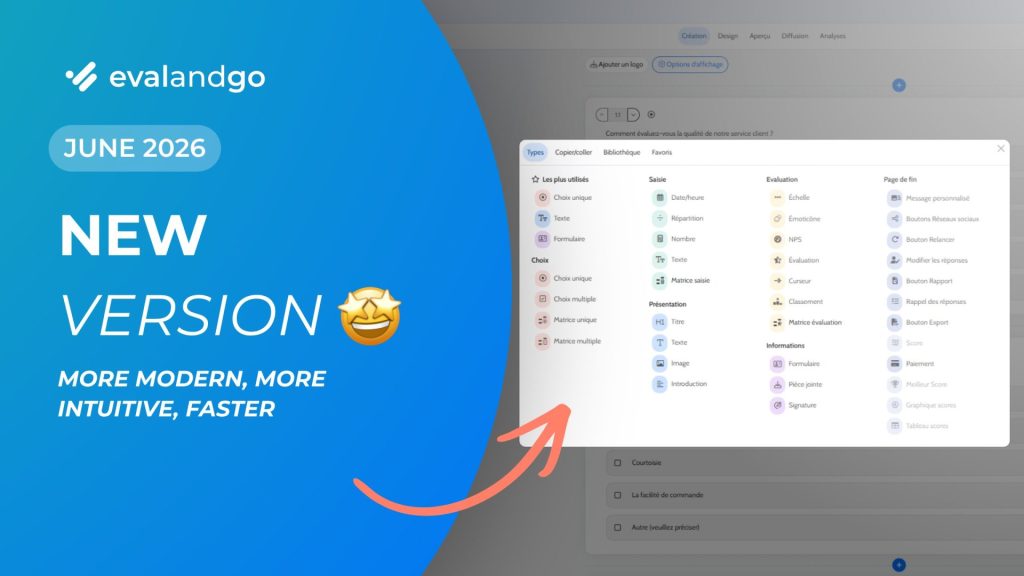
Question creation has been rethought to be both more visually appealing and simpler in practice.
All question types and all the features we offer are now visible at a glance, no more hunting for them. We’re keeping a few surprises for June 3.

A faste and more secure app
Our teams haven’t been sitting still. Since we were already optimising the interface, we took the opportunity to lift the hood and replace the engine entirely.
Evalandgo now runs on next-generation technology. This makes the app faster, more stable under heavy usage, and more secure for managing your data.
In practical terms: your surveys (or Live Mode sessions), reports, and exports load faster. Navigation across the app is quicker. To put it simply: slowdowns are a thing of the past.
What's not changing for you
We’ve improved your app… but we were careful not to touch your projects.
Everything you’ve created and everything you’ve collected stays in place. Everything keeps working, including during the June 3 switchover, because guaranteeing continuity of your data and the proper functioning of your surveys is our top priority.
- The design and appearance of your surveys (what your respondents see) remain identical
- Your surveys continue collecting responses without interruption, including during the update
- All your existing surveys and their complete settings are preserved as-is
- All responses and data already collected remain accessible and usable
- Your white label, custom designs, and custom URLs
- Your automations, API integrations, and Webhooks keep working
- Live Mode and its features
FAQ: Everything you need to know about this update
Will I be able to go back to the old version?
No. The new version is a lasting improvement to your experience. All the features you use today remain available, simply better organised in a redesigned interface. What you could do before is still possible, just faster and smoother.
Will my surveys and responses be kept?
Yes, entirely. All your surveys, Live Mode sessions, their settings, your reports, and all collected responses are preserved as-is. You’ll find them exactly where you left them.
Will my white label configuration stay active?
Yes. Your white label remains active with no action required on your part. Your custom surveys continue to display with your visual identity, even during the June 3 go-live.
Will there be a service interruption on June 3?
No. The switchover happens without any downtime. Your surveys continue collecting responses, and you can run a Live Mode session throughout the entire update.
The app stays accessible. You won’t experience any disturbance.
Do I need to do anything on June 3?
No. The switchover is entirely automatic. Our teams handle everything. At your first login after June 3, you’ll land directly on the new interface, where a guided tour will walk you through the main changes.
Will my API integrations and Webhooks keep working?
Your automations and Webhooks continue to work. Our API evolves with two minor changes: full details in the FAQ.
Important changes (action required)
1. Reduced set of accepted content formats
The following formats are no longer supported, either in requests or responses:
application/hal+jsonapplication/vnd.api+jsonapplication/xml/text/xmlapplication/x-yamltext/csvtext/html
Supported formats: application/json and application/ld+json.
2. POST /api/v3/contacts — contactFields format changed
The contactFields field no longer accepts IRI strings. It now expects objects with field and value properties:
// Before
"contactFields": ["/api/v3/contact-fields/42"]

// After
"contactFields": [
  { "field": "/api/v3/contact-fields/42", "value": "My value" }
]
This change does not affect POST /api/v3/respondents or POST /api/v3/respondents/get-or-create, which remain unchanged.
What’s new
Partial updates with the new PATCH method
Until now, modifying a resource required a PUT request, meaning you had to send the entire object in the request body. Any omitted field was reset to null.
The PATCH method is now available on the same endpoints and lets you send only the fields you want to update. The other fields stay unchanged.
// PUT — all required fields, any omitted are overwritten
PUT /api/v3/respondents/123
{ "firstName": "John", "lastName": "Doe", "email": "john@example.com", "finish": false }

// PATCH — only the fields sent are modified
PATCH /api/v3/respondents/123
{ "email": "new@example.com" }Note: your existing PUT requests remain unchanged and continue to work exactly as before. PATCH is an option, not a requirement.
Endpoints that support PATCH:
PATCH /api/v3/respondents/{id}PATCH /api/v3/webhooks/{id}PATCH /api/v3/responses/datetime/{id}PATCH /api/v3/responses/multiple/{id}PATCH /api/v3/responses/nps/{id}PATCH /api/v3/responses/number/{id}PATCH /api/v3/responses/rating/{id}PATCH /api/v3/responses/scale/{id}PATCH /api/v3/responses/slider/{id}PATCH /api/v3/responses/text/{id}PATCH /api/v3/responses/unique/{id}PATCH /api/v3/responses/form/{responseId}/inputs/{inputId}PATCH /api/v3/responses/emoticon/{id}
New endpoints
GET /api/v3/questions/item-text/{id}: retrieves a static text element on a questionnaire page.PUT /api/v3/responses/emoticon/{id}andPATCH /api/v3/responses/emoticon/{id}: saves or updates a response to an emoticon question.
Structured error responses
Responses with status codes 400, 404, and 422 now return a JSON body with detailed error information. Validation errors (422) include a list of constraint violations (affected field, message, code) to make debugging easier.
Is Live Mode affected?
No. Live Mode remains fully available for PRO+ and PRO+ Team customers, with the same features.
Is there support to help me get familiar with the new interface?
Yes. From your first login after June 3, an interactive guided tour walks you through the main changes in a few steps. An explanatory video will also be made available.
PRO+ Team customers can request a dedicated 30-minute session with their account manager.
Can't find what you're looking for?
Our team is here to help you find your way around.
Get in touch via the chat function in your Evalandgo account or by email: support@evalandgo.com.